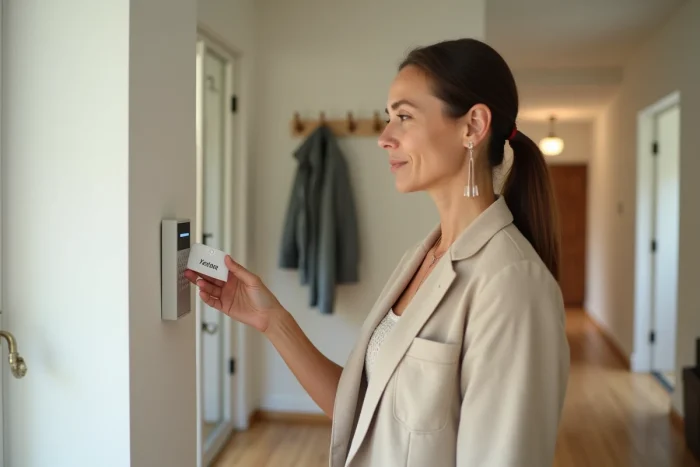
Practical guide to easily activate a Verisure alarm using a badge
The Verisure badge allows you to arm or disarm an alarm system by bringing a small device close to the reader, without entering a code. However, most guides only cover this surface description. The real question concerns what distinguishes the different activation modes accessible from a badge, and how user profiles concretely modify daily usage.
User Profiles and Authorization Levels of the Verisure Badge
Recent Verisure badges do not all function the same way depending on the person wearing them. Each badge can be associated with a distinct user profile in the client area: child, home helper, caregiver, main household member.
This association determines what the badge allows. One profile may be limited to door opening, while another grants access to full arming or night mode. Time slots may restrict the usage window.
The client area keeps a history of activations and deactivations related to each badge. Knowing who disarmed the alarm at what time provides useful tracking, especially for households hosting regular outside helpers. This level of granularity remains poorly documented in general content, which treats the badge as a one-function object.
To understand the complete procedure and activate a Verisure alarm with a badge according to the configured profile, the physical manipulation remains the same: bring the badge close to the reader on the control panel. It is the software configuration upstream that changes everything.
Full, Partial, and Night Mode: What the Badge Actually Triggers
Bringing a badge close to the reader does not always produce the same result. The arming mode depends on the prior configuration and the type of pressure or gesture associated with the system.
| Activation Mode | Covered Areas | Typical Use |
|---|---|---|
| Full Activation | All detectors (doors, windows, motion) | Leaving home, prolonged absence |
| Partial Activation | Outer perimeter only (openings) | Presence at home, daytime |
| Night Mode | Ground floor and external access, upper floor free | Night, free movement in bedrooms |
Full activation arms all sensors. Any detection of movement or opening triggers the alert and transmission to the monitoring center. The badge initiates this activation with a gesture, with an exit delay specific to each installation.
Partial activation protects the perimeter (doors, windows) but deactivates the indoor motion detectors. This mode allows you to stay at home while maintaining protection against break-ins.
Night mode is a variant of partial activation. It protects the ground floor and access while allowing free movement upstairs. This mode is suitable for families with children who move around at night.
Activation Delay and Sound Signal
After passing the badge, a sound signal confirms the reception. A exit delay allows time to leave the home before the detectors become active. This delay is set during installation by the Verisure technician and can be adjusted via the client area.
In the case of deactivation, the badge must be passed before the entry delay expires to avoid triggering the alert. This delay is generally shorter than the exit delay.
Badge and Two-Factor: Limiting Accidental Deactivations
Since 2023, Verisure has been emphasizing a two-factor deactivation approach combining badge and code or badge and app. This recommendation targets households where multiple people handle the system, particularly children and caregivers.
The concrete problem: a child coming home from school and passing their badge disarms the entire system. Without additional verification, no control filters this action. The two-factor adds a validation step, such as entering a code on the keypad or confirming via the mobile app.
This configuration reduces false alerts related to unintentional deactivations. It also allows distinguishing an authorized deactivation from badge usage by an unauthorized person.
- Badge only: quick activation and deactivation, suitable for households with few users and a low risk of accidental handling
- Badge + code: enhanced security for households with children or regular outside helpers
- Badge + mobile app: remote validation, useful when a parent wants to be notified in real-time of each deactivation
Managing Lost or Stolen Badges from the Client Area
A misplaced badge represents a direct security breach. Anyone in possession of the badge can potentially disarm the system. The procedure for deactivating a lost badge goes through the Verisure client area or by calling the central office.
A badge deactivated in the client area immediately ceases to function. This removal does not require physical intervention from the technician. The badge becomes an inert object, with no possibility of remote reactivation by a third party.
Ordering a replacement badge is done through customer service. The new badge must be associated with the corresponding user profile, with the same authorization levels and time slots as the old one, or adjusted parameters as needed.
Precautions for Multi-Badge Households
Households using multiple badges benefit from regularly checking the list of active badges in the client area. A badge assigned to a former helper (babysitter, housekeeper) and never deactivated remains functional as long as it is not manually removed.
- Check the list of active badges at least once a quarter
- Immediately deactivate any badge not returned by a helper whose mission has ended
- Associate each badge with an identifiable username to facilitate tracking in the history
The security of a Verisure alarm system depends as much on the software configuration as on the hardware itself. The badge is just one link: it is the rigor in managing profiles and permissions that determines the actual level of protection.